Picture guide
How to pause Google Ads while you're closed
Eight clicks, each one circled on a real Google Ads screen. Your ads then run only while someone can answer the phone or take the booking. Your WarmClicks report lists your opening hours as your website shows them.
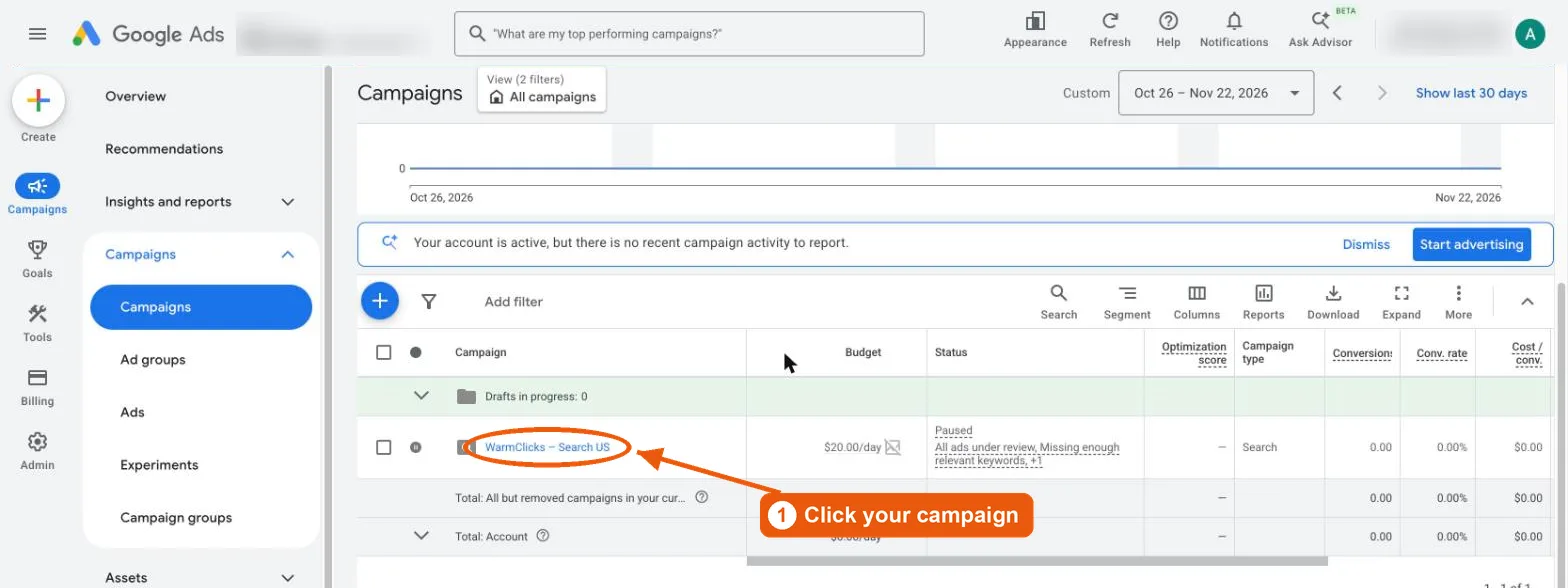
1Open ads.google.com, click Campaigns in the bar on the left and then the name of your campaign.
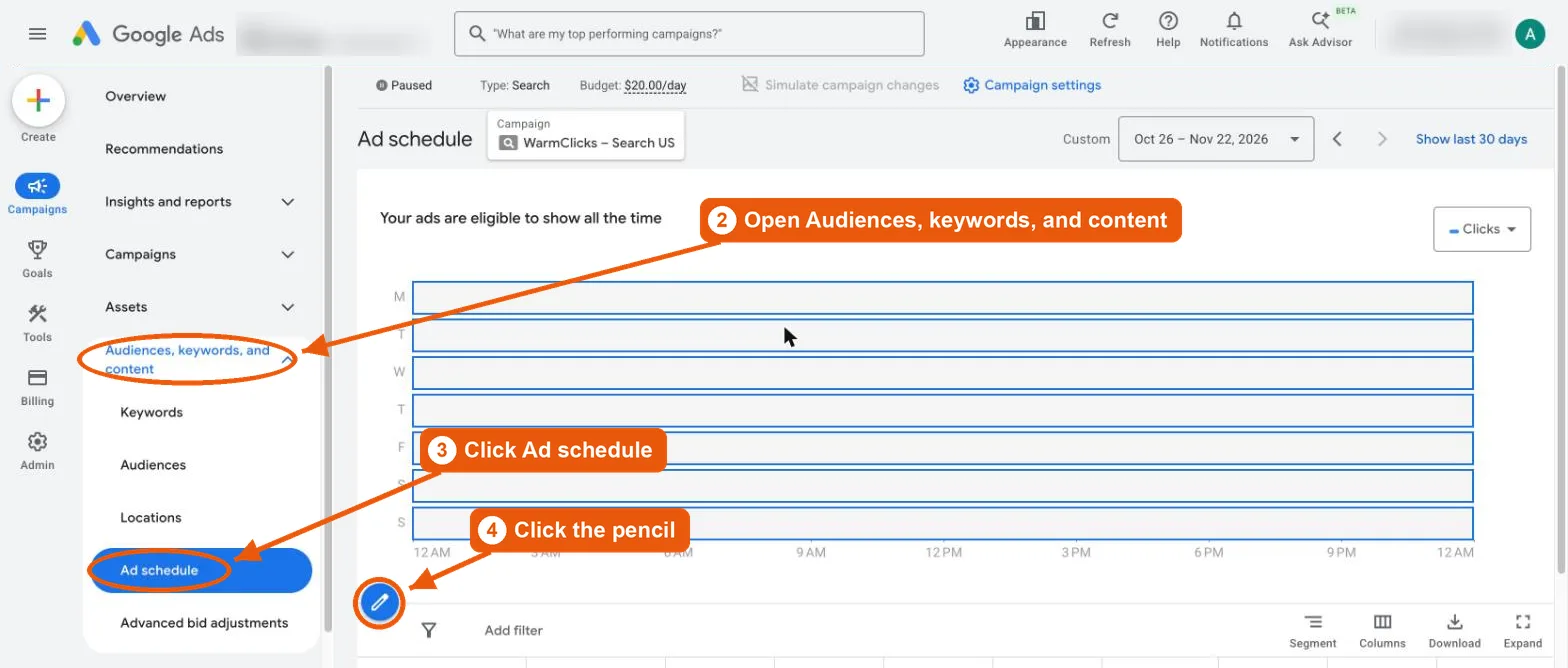
2–4In the menu, open Audiences, keywords, and content (2), click Ad schedule (3) and then the blue pencil (4).
5–8Pick the days (5) and set your opening and closing time (6), for example Monday to Friday, 8:00 AM to 6:00 PM. For days with other hours, such as Saturday, click Add (7). Click Save (8).
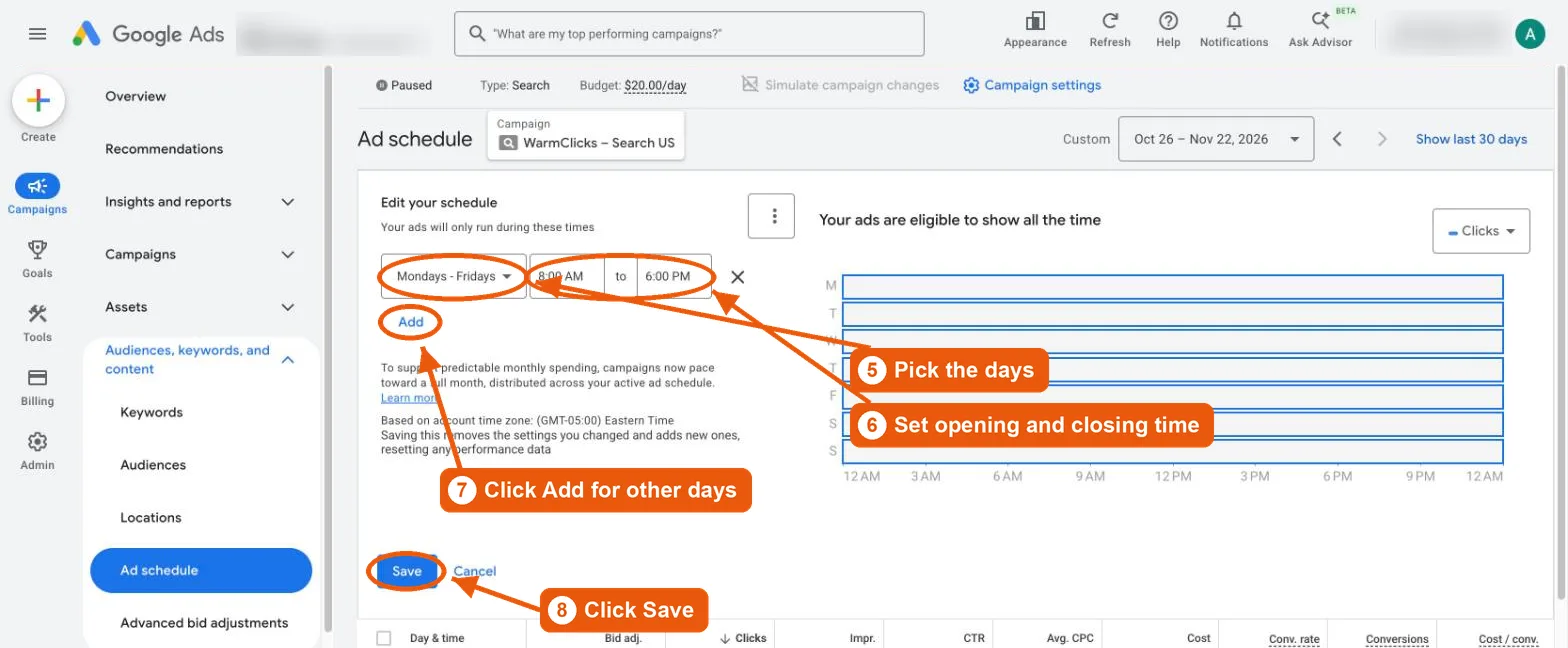
The times use the time zone of your Google Ads account. It's written under the schedule, before you save.
WarmClicks suggests this step only when your closed hours take more than 5% of the budget and bring less than half as many customers per click as your open hours.
Google warns under the schedule that saving resets the performance data per time slot, and that your budget is then spread over the hours in the schedule.
Your report says pay less for clicks while you're closed instead? Then in steps 5–6 also add the closed hours as extra rows, save, and set the Bid adj. column of those rows to the percent from your report.
Best on a computer: the screens above are ads.google.com in a desktop browser. On a phone, tap a picture to open it full size.
Screens from Google Ads, November 22, 2026. Google sometimes moves buttons; if one looks different, write to connect@warmclicks.com.