Picture guides
Every click, circled on a real Google Ads screen
Connecting your account, uploading a WarmClicks file, and 5 fixes: service area, search partners, ad schedule, negative keywords, games and kids' apps. Your report shows the right pictures next to each of these steps.
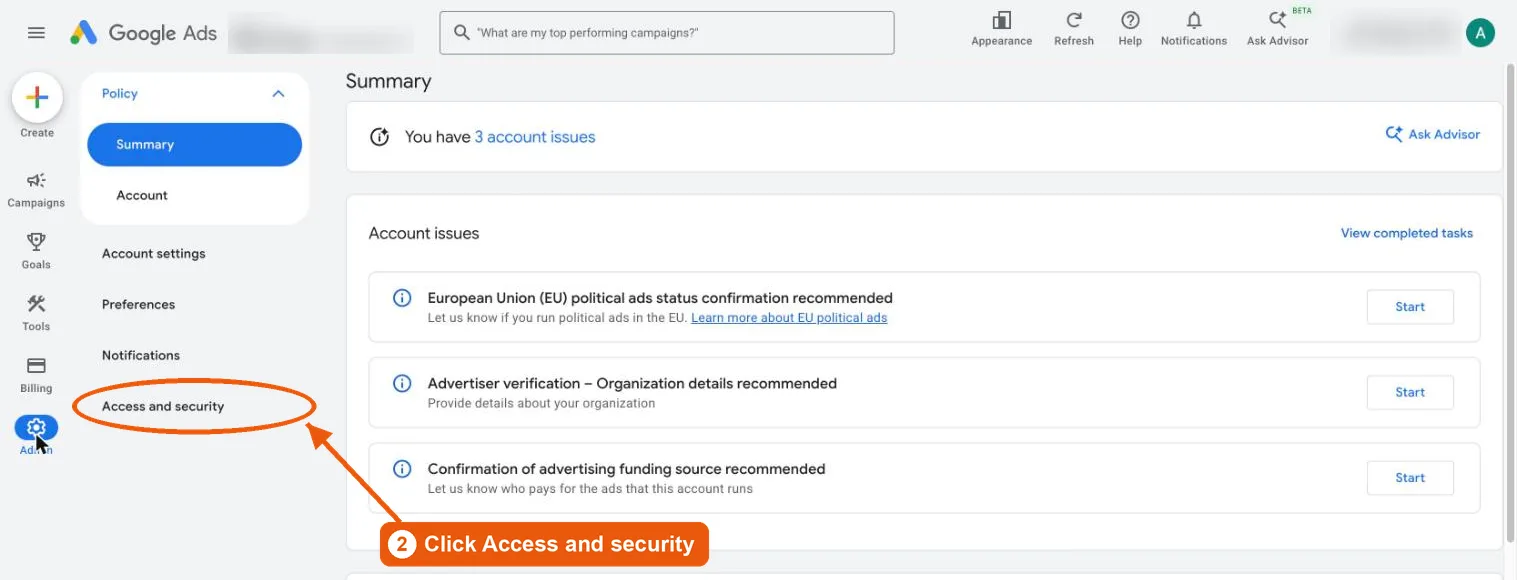
How to give WarmClicks read-only access to Google Ads
Open the guide
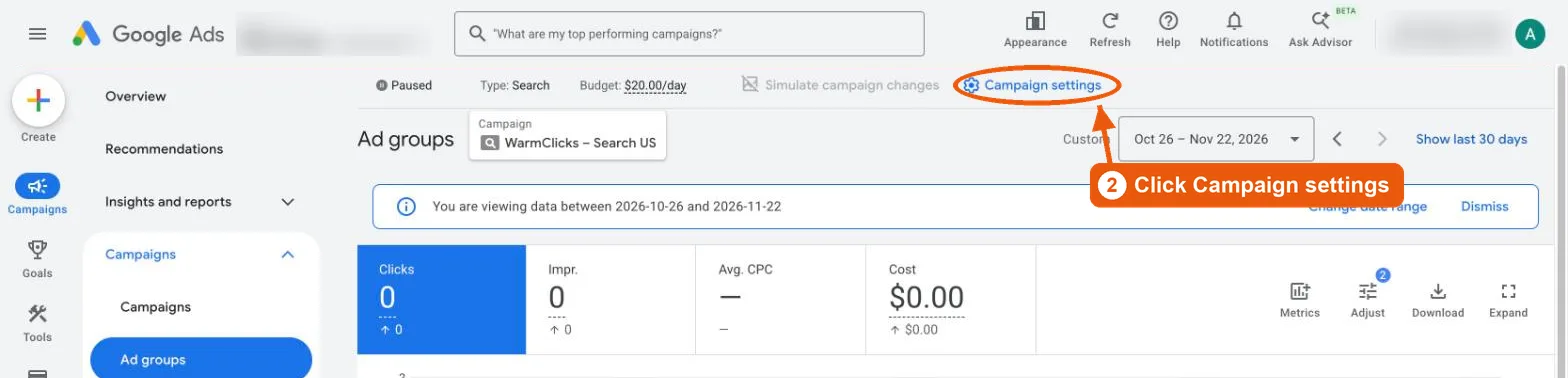
How to show Google Ads only in the area you serve
Open the guide
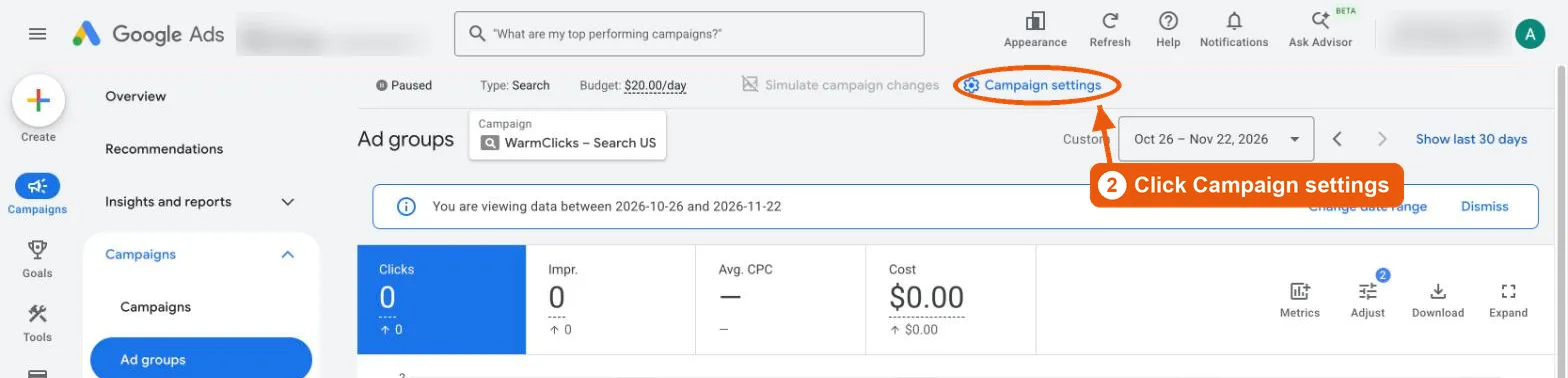
How to show search ads only on Google Search
Open the guide
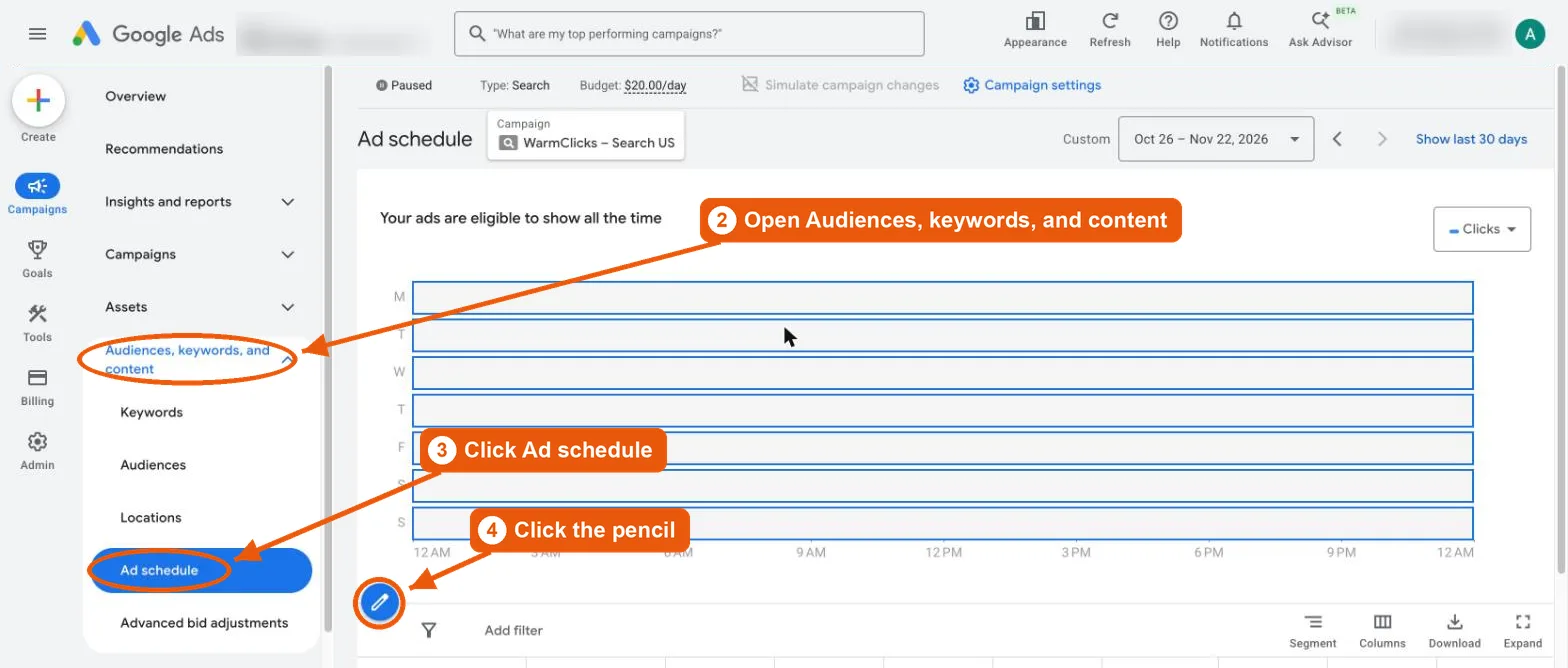
How to pause Google Ads while you're closed
Open the guide
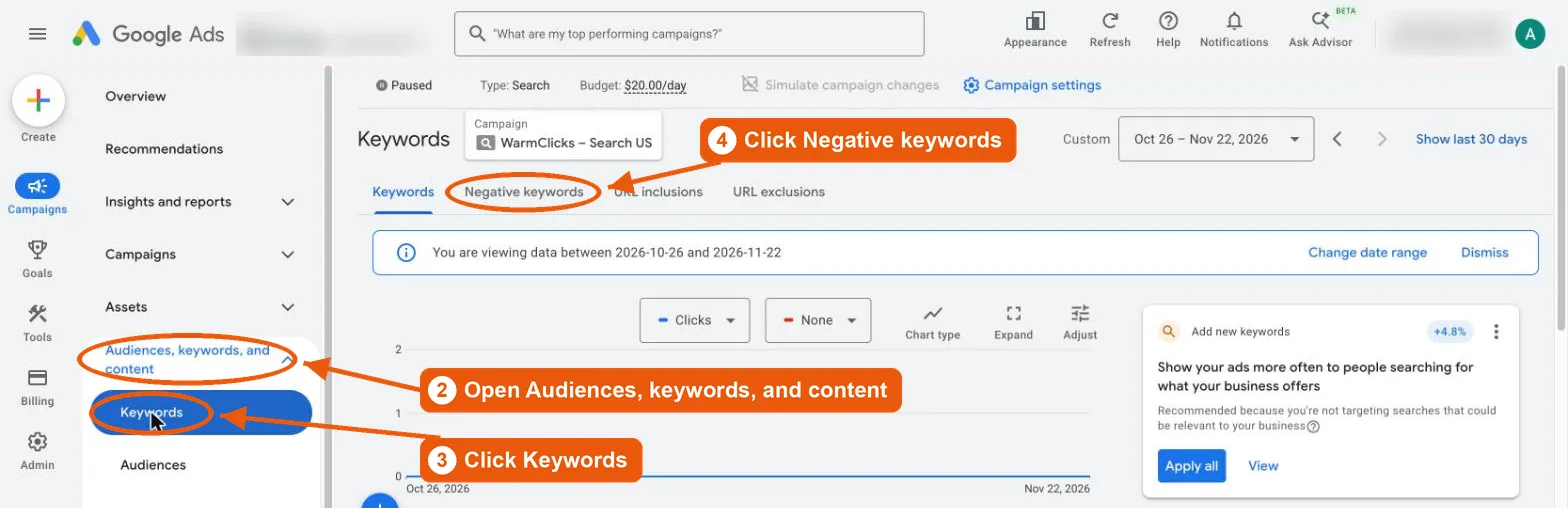
How to block searches that never become customers
Open the guide
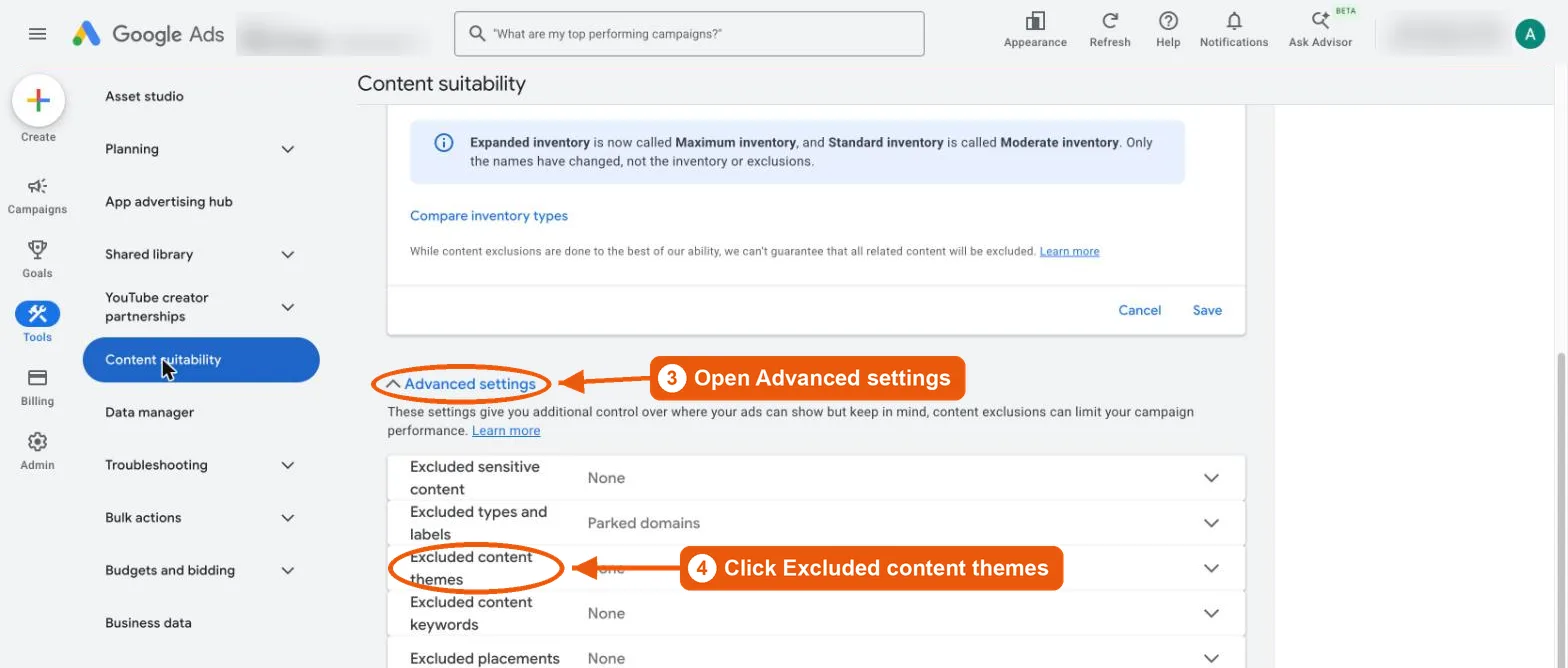
How to stop Google ads in games and kids' apps
Open the guide
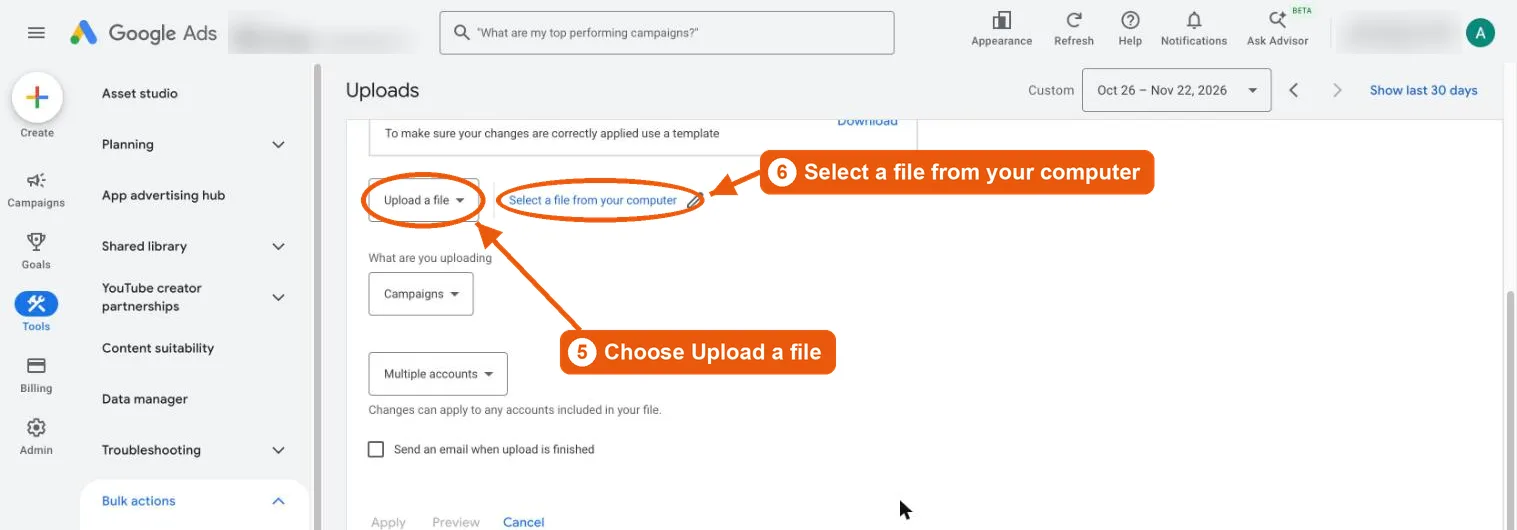
How to upload your WarmClicks file to Google Ads
Open the guide