Picture guide
How to block searches that never become customers
Seven clicks, each one circled on a real Google Ads screen. Negative keywords stop your ads for searches like jobs, free or how-to questions. Your WarmClicks report lists the searches that cost you money without a customer, and the negative keywords that block them.
✓In your WarmClicks report, open the step Block searches that never become customers and copy the negative keywords listed there.
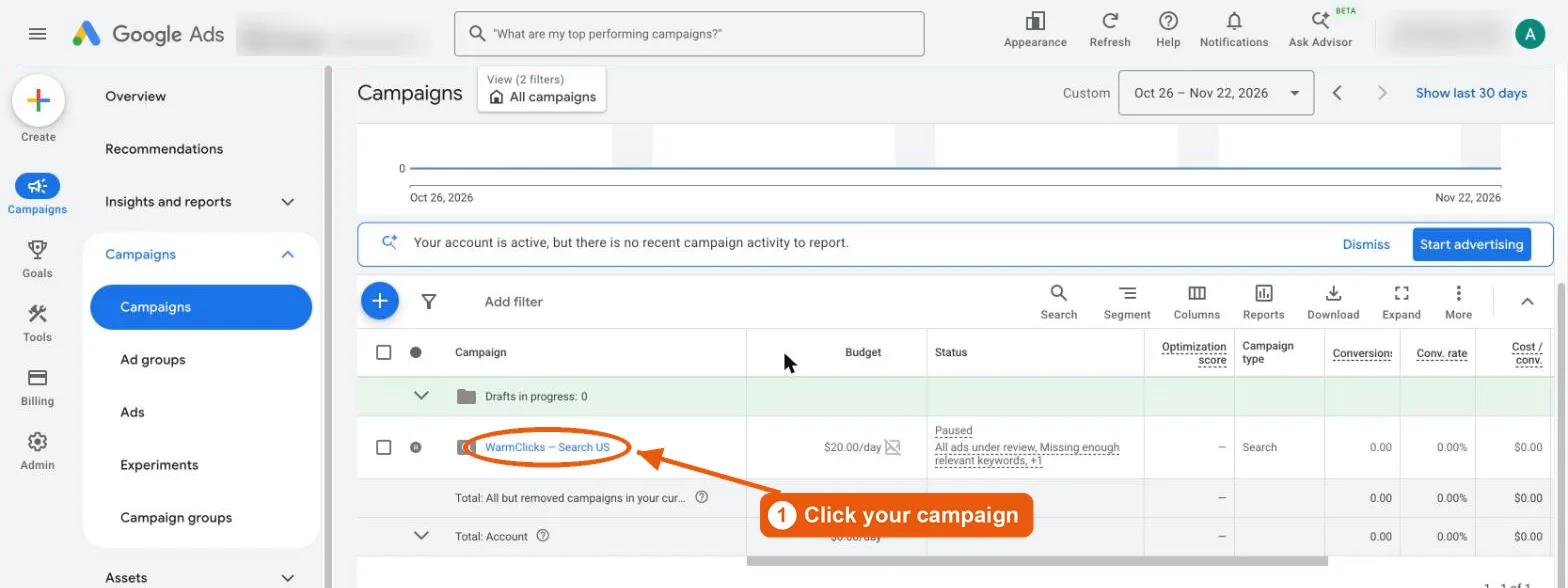
1Open ads.google.com, click Campaigns in the bar on the left and then the name of your campaign.
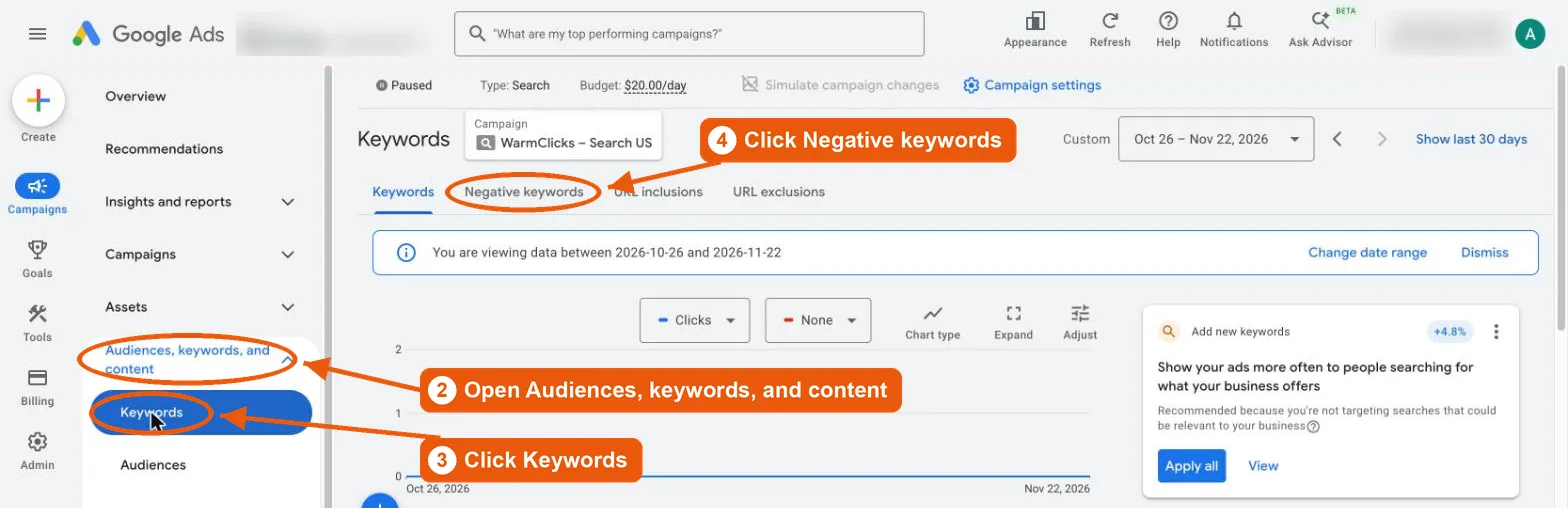
2–4In the menu, open Audiences, keywords, and content (2) and click Keywords (3). At the top, click the Negative keywords tab (4).
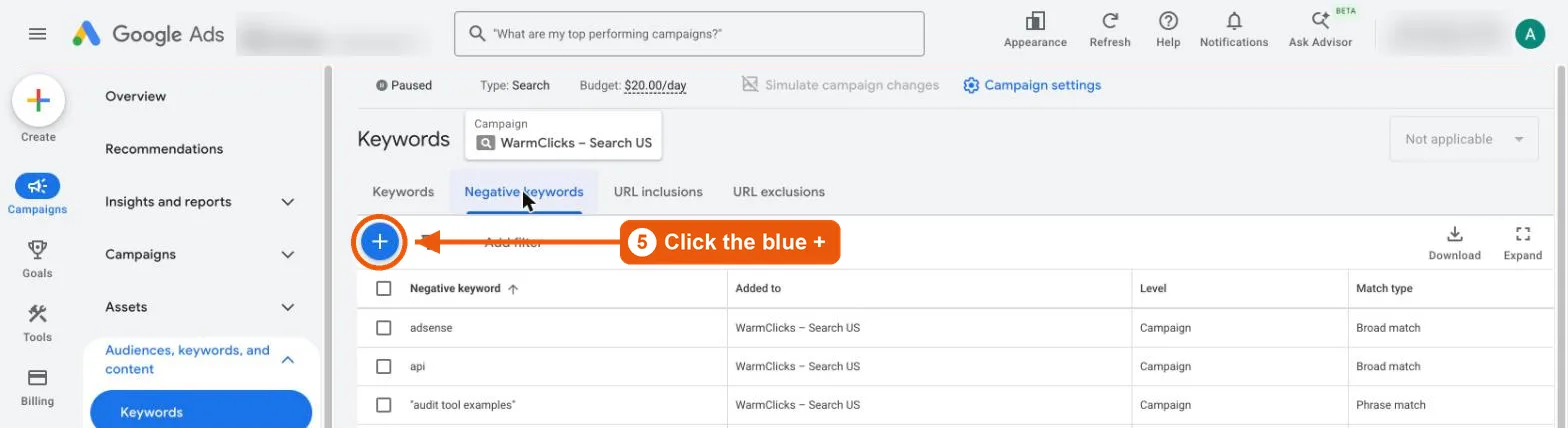
5Click the blue +.
6–7Paste the negative keywords into the box, one per line (6). Click Save (7).
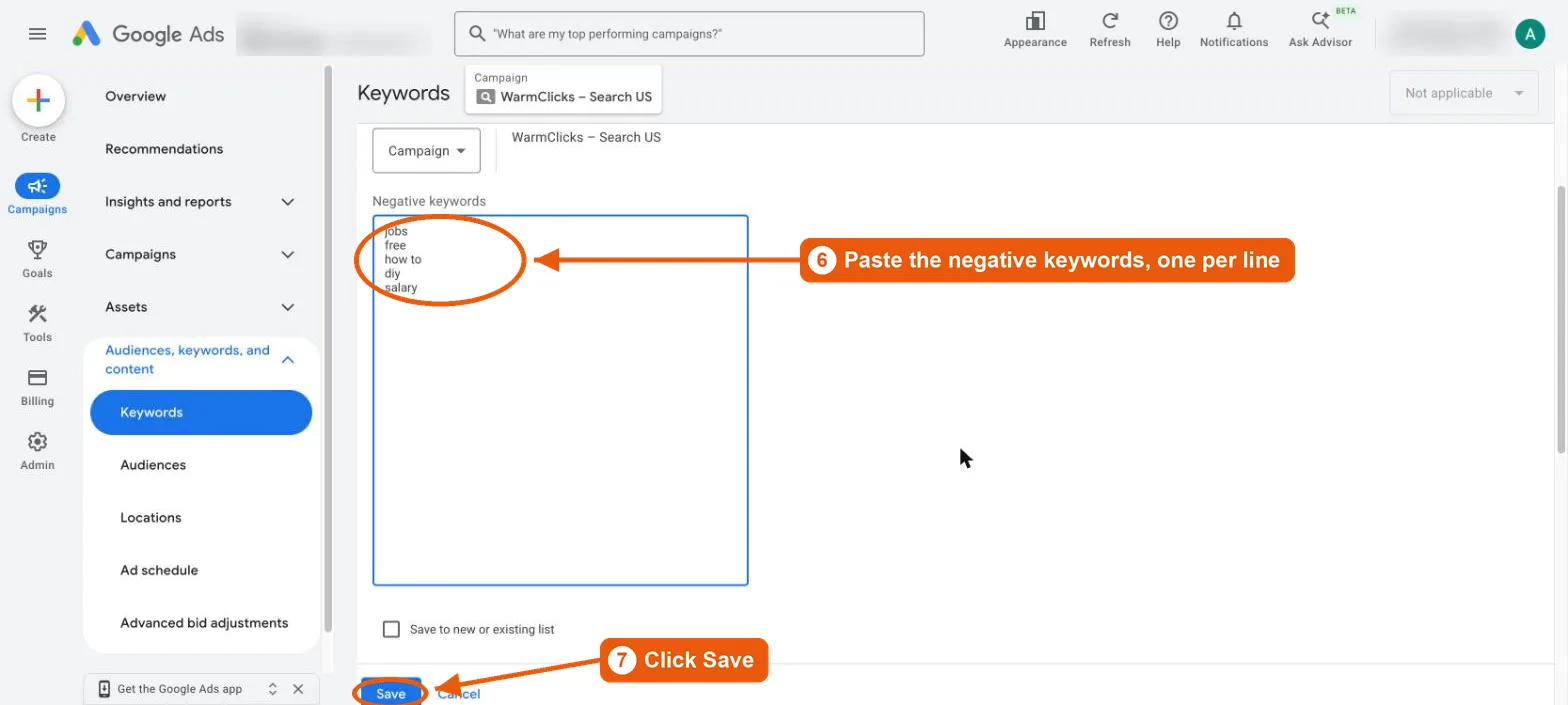
The words in the picture (jobs, free, how to, diy, salary) are examples. Paste the ones from your own report.
Best on a computer: the screens above are ads.google.com in a desktop browser. On a phone, tap a picture to open it full size.
Screens from Google Ads, November 22, 2026. Google sometimes moves buttons; if one looks different, write to connect@warmclicks.com.